Surajan Shrestha
Essays
MMXXVI
Software engineer from Kathmandu, in Bangalore since 2026. By day I’m building Physical AI @ NoumenalAI. By night I write essays on software, taste, and the cities I live in. I love Renaissance art and classical music, which explains this room. The rest is in About.
On software, taste, and the cities I write them from.
I
Tl;dr love the weather, convenience, food, tech, work, office; fucking hate the traffic, honking, rash driving, and even more FUCKING HONKING!!!
For an open, technologically advanced city with Venture Capitalists, Entrepreneurs, Engineers, the goddamn fucking HONKING of HORNS all the time is a mismatch.
One night, I almost got hit by a guy on an Ather. Bro was on ~50km/h in a cramped residential area. He looked at me like it was my fault, I was literally walking.
It's also crazy how you can own absoulte luxury like Porsche, BMWs, Range Rover, Mercedes and still drive like a drunk child with no license who stole the keys off of his father. I checked who the driver was though, it was an Uncle thrice my age, who looked like he was over-educated — like he had a Phd on something.
There's also things I like. Like CONVENIENCE. My friend Zepto'd ice cream, chips and a summer BLANKET around midnight. It got delivered under 10 mins. I was like, "WOW".
My friend literally used Blinkit to get a bunch of passport sized photos delivered under 10 mins. Again, "CONVENIENCE".
Indiranagar is one of those places where you can bump into people from different backgrounds and half of them might be from Tech.
Walking is fun with all the trees planted as if they knew how big Bangalore was gonna get, how much money was gonna get poured into it. BUT, it is only fun until a guy honks the most DIABOLICAL, LOUDEST, EARDRUM-DAMAGING horn inches away from you.
I know, I know, I'm complaining about horns too much but there is a thing about personal walking space. I'm really sorry if I'm sounding like an entitled spoiled brat, but you know, I know and everyone knows I'm speaking truth and everyone, especially an outsider feels this about Bangalore.
Enough bad things, let's talk about WEATHER. I like, ahem, love the weather here. It gets sunny, then in a split second hazy. You're walking and don't even notice that it's raining. It sprays some days when you're walking and you only realise when your hair feels weirdly wet.
The other days, it POURS, but only for a few minutes, then it stops like it never happened painting the city streets wet like a full cleanse, like detoxed the city of all the dirt, shit and bad mistakes.
Oh yeah, almost forgot, u wanna know what I do here? I work at an AI Tech startup (duh) here in Indiranagar. I moved in to Bangalore from Kathmandu a few weeks ago. I have a few friends here — all of em — singular characters. Maybe I should write a novel on em, lol. They make me feel less lonely, I hope I did the same for them.
Office is pretty cool. We're working on some hard problems. Lots of knowledge and skill gained every single day. All of the people in the office work pretty hard. Somedays we're pulling 12–13 hr days. One thing I got to know was that if everyone is working hard, you also follow suit. Working late has never been more fun cuz you're not doing it alone.
Sundays are for running and walking. My friends run but I walk — have a bad knee. Sundays are also for introspection. A 30 min walk around Cubban park with headphones is like a spiritual experience. Plus all the dogs there, half of em' Golden Retrievers, pure joy.
I'm a transactional mf, so I plan to get more outta Bangalore than it gets outta me. All these things, the good, the best, the bad and the ugly will definitely leave a mark on me, I want it to, I wouldn't want it any other way.
You reached the last paragraph, thanks for sticking along and spending you valuable time to read all of it. If, you're a bot, then FUCK YOU.
First published on Medium, 17 August 2026.
II
(and one uncomfortable truth that contradicts everything I just said)
We are living in the weirdest era in the history of software.
A developer — solo, broke, sleep-deprived — can open a chat window, describe an app they've been sitting on for three years, and ship a production-ready MVP before the weekend ends.
No team. No runway. Just vibes, tokens, and a decent prompt.
This changes everything. And most people haven't fully processed how much.
Because here's the thing — when shipping becomes easy, everyone ships.
The flood gates don't open slowly. They just… open.
And when everyone ships, you get what you'd expect: an ocean of apps competing for the same shrinking attention of the same finite number of humans.
There are only so many people on this planet. Only so many hours in a day. Only so many apps someone is willing to actually install, learn, and keep.
That number is not growing at the same speed as the apps being built.
So what separates the app that does $10M ARR from the one that quietly dies at $300 MRR?
It's not the idea. Most good ideas are obvious — someone else has had them already.
It's not the tech stack. Nobody cares if you're on Next.js or Remix or whatever is trending this month.
It's TASTE.
Taste is that thing Steve Jobs had that most CEOs, most developers, most product managers — most people — simply don't.
It's not about making something pretty. It's about knowing exactly when something feels off.
It's that itch you can't ignore when the button is 2px too low. When the copy sounds like a legal disclaimer. When the onboarding makes you feel stupid instead of capable.
Most people ship and move on. People with taste ship, stare at it, and fix the thing nobody asked them to fix.
Look at any competitive category — health apps, beauty, creativity tools, finance trackers.
Go download five of them in the same category. I dare you.
You won't be able to tell me what's different about each of them. Same features. Same promises. Same 4.2-star reviews with 600 ratings.
But one of them will feel right. Immediately. Without you being able to explain why.
That's the one making the money.
Okay. Now for the uncomfortable part.
The title of this post says taste is the only thing that matters. And I mostly believe that.
But I've seen too much to say it's the complete truth.
Marketing is the other thing.
Maybe even the more important thing — and I hate saying that.
I've used products that were genuinely bad. Slow, confusing, solving problems nobody had.
And they were everywhere. Ads. Influencers. Newsletter placements. TikTok reviews. And Memes, oh yes, MEMES.
And people used them. And some of those products made real money.
Meanwhile, a beautifully crafted app with zero distribution sat at 200 downloads with a 5-star average and a founder who couldn't figure out why nobody cared.
The brutal reality: a bad product with great marketing beats a great product with no marketing.
Every time.
This isn't cynical — it's just how attention works. You can't buy something you've never heard of. You can't fall in love with an app you never downloaded.
So where does that leave us?
In a world where everyone can now build, the winners will be the ones who can do two things that have nothing to do with writing code:
1. Feel what's wrong before users can articulate it.
2. Make enough noise that the right people actually show up.
Taste without reach is a private gallery.
Reach without taste is a billboard for something nobody wants to remember.
You need both. But if you can only pick one to obsess over first —
pick taste.
Because bad marketing for a great product can always be fixed with money.
Bad taste, once it ships? That's a rebrand. And rebrands are funerals with confetti.
Build something that feels like it was made by a person who gave a damn.
Then go tell people about it, loudly and repeatedly.
That's the whole game now.
First published on Medium, 11 April 2026.
III
One repository, several Next.js apps, and a build cache shared through Vercel.
Let's setup a Next.js Monorepo project using the popular tool Turborepo by Vercel with additional features like Remote Caching.
Turborepo is the go-to tool for creating a monorepo for a Next.js project easily with minimal setup and fast deployment due to it's remote caching feature.
As both Next.js and Turborepo are owned by Vercel, it's pretty easy to setup and scale accordingly. Let's jump into it.
Monorepo is a single repository consisting of multiple projects with well-defined relationships. Each project/app has its own directory within the repository.
Example: Consider someone developing a mobile app, a web app, and a backend API. These individual projects/apps can be stored and managed within a single Git repository.
You could use other tools like Lerna, Nx, etc. to setup a monorepo but I chose Turborepo for some of these reasons:
First, install create-turbo CLI, which will initialize a Next.js monorepo project:
npx create-turbo@latestAfter this, you'll be asked where to create the turborepo and which package manager to use. Let's choose npm. Then, Turborepo will generate a Next.js monorepo with a bunch of files and install all the dependencies.
You'll see the following folder structure in our new monorepo:
-node_modules
-apps
  -docs
  -web
-packages
  -eslint-config
  -typescript-config
  -ui
-package.json
-turbo.json
-Others...
All of these are called Workspaces. apps/docs and apps/web are standalone Next.js with Typescript apps. packages/ui holds shared UI components that any app can use, and packages/eslint-config and packages/typescript-config hold the shared configuration.
In our monorepo's root directory, you'll find a file called turbo.json. This is how Turborepo manages tasks/commands for the whole monorepo.
{
  "$schema": "https://turbo.build/schema.json",
  "globalDependencies": ["**/.env.*local"],
  "pipeline": {
    "build": {
      "dependsOn": ["^build"],
      "outputs": [".next/**", "!.next/cache/**"]
    },
    "lint": {
      "dependsOn": ["^lint"]
    },
    "dev": {
      "cache": false,
      "persistent": true
    }
  }
}
Anything we put inside turbo.json's pipeline property will be a command that can be run with turbo run <task>, or turbo <task> for short.
The essay continues, with deployment to Vercel and remote caching, on Medium.
First published on Medium in the readytowork publication, 28 April 2024.
IV
Tests that run before every commit, and again in CI.
Let's set up a Jest & React Testing Library with Pre-Commits (Husky) & CI (CircleCI) for a proper Test Driven Development (TDD).
TDD involves not only writing tests and making sure our application runs as it's expected but also making sure it ships with our CI/CD pipelines & has a good developer experience which can be provided using Pre-commit hooks.
-.circleci        <= CI setup using CircleCI
-.husky           <= Pre-Commit setup using Husky
-src
  -components
    -Counter
      -index.tsx
      -Counter.test.tsx   <= Test for Counter Component
    -Link
      -index.tsx
      -Link.test.tsx      <= Test for Link Component
      -__snapshots__      <= Snapshot created by Snapshot test
  -other stuff...
-package.json
-node_modules & other stuff...Pre-commit hooks are special scripts that run in Git before a commit is made. We use such hooks to allow commits to only happen when certain conditions are met. This promotes better code quality and reduces unnecessary commits.
Husky is a go-to tool for handling & setting up pre-commit hooks. This is how it works:
npm install --save-dev huskynpx husky initIt creates a pre-commit script inside the .husky folder and adds a prepare script to our package.json.
"scripts": {
  "test": "react-scripts test",
  "test:staged": "CI=true react-scripts test --o",
  "prepare": "husky"
},
test:staged runs tests in CI mode, which is more suitable to integrate with pre-commit hooks. The --o flag runs tests related with only those files that have changed since last commit.
The essay continues, with the CircleCI setup, on Medium.
First published on Medium in the readytowork publication, 3 April 2024.
V
A stable, lightweight scanner on the qr-scanner package.
QR Code Scanners are extremely popular and here's how to implement it in React. It is simple enough to implement but if building from scratch, it might take your whole day.
Luckily, I'm here to help you out.
Problem: Although we have a lot of plug-in-play types of QR Code Scanner packages dedicated to React, many are not that stable, some have bugs specific to a certain browser, some don't have enough flexibility to use and some just lack certain features.
Solution: I found out that QR Code Scanner packages that have a direct implementation with JavaScript, rather than specialize with a certain JS Framework, are much better and stable.
I'll be using the qr-scanner package which is pretty stable and is sponsored by nimiq (which is a browser-based blockchain and i guess they use this package in their application too).
I'm using vite to setup development environment. But, you can use anything of your choice, even create-react-app.
-node_modules and others
-package.json
-src
  -assets
    -qr-frame.svg
  -components
    -QrReader.tsx
    -QrStyles.css
  -App.tsx
  -main.tsx
  -App.css   (this is an empty file)
-index.css (this is an empty file)npm i qr-scannerI've deleted all the css from App.css and index.css so that i'll have a clean slate to work on and also so that css styles don't conflict each other. This is all the css styles we'll need for our QR Scanner:
.qr-reader {
  width: 430px;
  height: 100vh;
  margin: 0 auto;
  position: relative;
}

.qr-reader video {
  width: 100%;
  height: 100%;
  object-fit: cover;
}

.qr-reader .qr-box {
  width: 100% !important;
  left: 0 !important;
}

.qr-reader .qr-frame {
  position: absolute;
  fill: none;
  left: 50%;
  top: 50%;
  transform: translateX(-50%) translateY(-50%);
}

/* Media Queries for mobile screens */
@media (max-width: 426px) {
  .qr-reader {
    width: 100%;
  }
}Let's make a QrReader component in /components/QrReader.tsx and import qr-scanner, QrFrame and QrStyles.css:
// Styles
import "./QrStyles.css";

// Qr Scanner
import QrScanner from "qr-scanner";
import QrFrame from "../assets/qr-frame.svg";

const QrReader = () => {

}

export default QrReader;
The essay continues, with the scanner logic and camera handling, on Medium.
First published on Medium in the readytowork publication, 7 January 2024.
VI
Three tools for cleanup and failure, and when to use each.
VII
This is a true story.
Whenever I used to ask around for advice for a beginner developer like me from a Senior Developer or some of the Teachers in my college who also happen to work as a Developer, they gave me a whole list of advice.
But, one common advice would always be there no matter who I asked. That advice is, yes, you guessed it right, "COMMUNICATION". Every developer who had worked in a team gave me this advice.
Me, being a curious codemonkey who had never worked in a team before always found it to be weird. But, when I eventually worked in a team, I found out that no matter how small the team might be, Communication is always the top priority.
Most of the time, each developer working in a team, has their own set of problems to solve and when even one of them stops communicating, the whole team falls apart.
It's Covid-19 period and all of us are forced to work from home. So, when working from home, I was always filled with anxiety and nervousness that if the frontend I rolled out was good enough or not and how there were so many things in the To-Do list that weren't going to solve themselves while simultaneously worrying about what the Backend Developer is gonna think about me.
After days of struggle, I observed myself and found out that I just needed to TALK with the other developer in the team. After 30 mins of voice call, every bit of my anxiety was gone and my mind was in a state of crystal clear focusness.
I knew exactly what had to be done. AND how did I do that? By COMMUNICATING. I spoke about all the issues about the Frontend in my mind and got a positive feedback about what has to be done next. Now, I can focus on just the conclusion that I got when I spoke with my team.
Sigh… We humans make the simplest things extremely confusing.
First published on DEV, 16 May 2021.
VIII
Why I left Facebook and Instagram during the second lockdown, and kept Twitter.
The Covid-19 Lockdown hit hard, AGAIN for the second time here in Nepal and I thought to myself, I'm not falling for the social media trap again.
As a developer, I found it extremely liberating when I quit all forms of photo and text based social media.
No matter how much Facebook and Instagram is important to connect us with the world, it just makes us sad and depressed at the end.
No matter how much Mark Zuckerberg says, "The Future is Private" or "You're in control of your account", BUT the dark truth is that YOU'RE NOT.
Ever wondered how a single post on Facebook or Instagram is responsible for either making our day or breaking it. In fact, social media manipulates and hypnotizes us indirectly.
Let's say you stumbled upon a post on Facebook that is motivating and hypes you up. Your entire day is gonna go well. But by chance, you came across a post which is sad and depressing and shows how the world beats us up and how people are responsible for breaking your heart, Your entire day is absolutely screwed.
Thus, I made a bold decision to quit all forms of photo and video focused social media like Facebook and Instagram. I actually use Twitter now which is mostly text-focused. A text-focused social media doesn't harm you in a way a photo-focused social media does.
In fact, I found Twitter to be awesome in ways which lets me interact with developers from all around the world.
Ignorance is a bliss. Now, I don't have to know which friend ate what and how their lives are so freakin amazing and crap like that. I've understood that everyone is suffering in their own ways.
Now, I can focus only on myself which is the only thing I want right now.
First published on DEV, 15 May 2021.
Surajan Shrestha is a software engineer. He grew up in Kathmandu and moved to Bangalore in 2026, where he works at an AI startup in Indiranagar. He writes TypeScript and Go.
The essays here were first published on Medium and DEV between 2021 and 2026. The technical ones are how-to pieces written for the readytowork publication; the recent ones are about taste, cities, and what it is like to build things now.
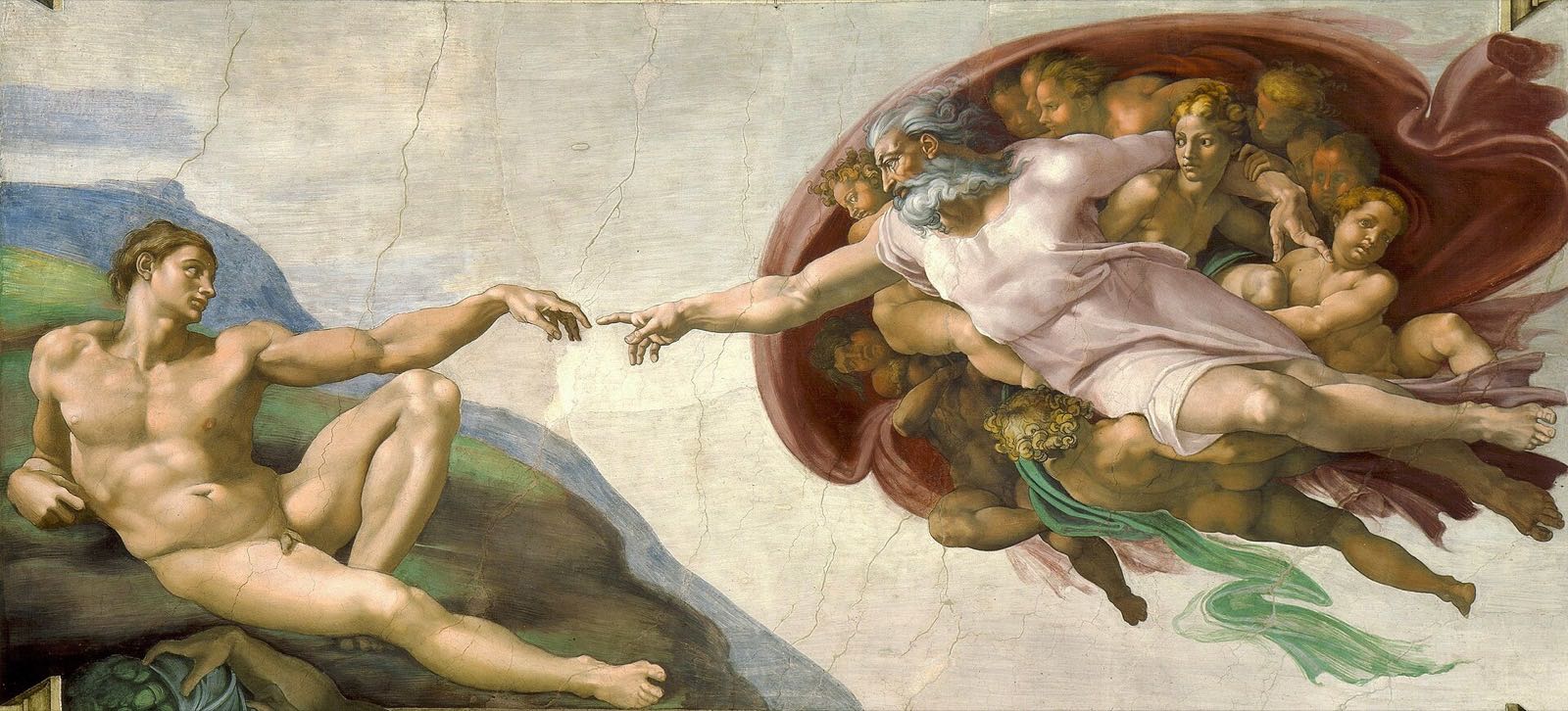
The painting behind the book is Michelangelo’s The Creation of Adam, from the ceiling of the Sistine Chapel, painted around 1512. The book sits where the two hands nearly meet. The reproduction is in the public domain, via Wikimedia Commons.
The text is set in EB Garamond and the titles in Cormorant Garamond, both drawn after the sixteenth-century types of Claude Garamont. The small print is Hanken Grotesk. Code is IBM Plex Mono.
Pages turn like a book because the essays are meant to be read one at a time. Grab a page and pull it across, press the arrow keys, or use the links at the foot of each page.
The record on the shelf is Vivaldi’s Winter, from The Four Seasons, played by the United States Air Force Strings. As a work of the US government, the recording is in the public domain.
Built by hand, on Next.js.
A diversion
A painting puzzle. The panel has come apart. Put every fragment back where the master left it.
Swap two fragments: drag one onto the other, or tap one and then the other. Hold Peek to see the finished panel.
No restoration of The Birth of Venus at Journeyman rank yet.
Fetching The Birth of Venus…
The Birth of Venus, Sandro Botticelli, c. 1485. Uffizi, Florence.
0 of 24 in place · 0 moves · 0:00